
Posts on this site may contain sponsored content, paid link placements, or affiliate links. I may earn a commission or fee if you click a link or purchase through these recommendations at no additional cost to you.
Virtually everyone’s everyday life, from young to old, is unimaginable without digital devices. No wonder modern parents realize the critical need to ensure their children’s online safety. The internet is like a modern-day encyclopedia with unlimited access; the only downside is that it also exposes children to various dangers, such as cyberbullying, inappropriate content, and online predators. This is something that solutions like the uMobix mobile tracker might help parents with, supporting their peace of mind.
Now, the big question is: how does uMobix work, and is it an easy nut to crack for tech-inept users? The brief answer is yes, and we’ll explore its features in detail so you can rest assured – at the end of this uMobix review, you won’t have any questions left.
What Is Online Tracking in General and uMobix in Particular?
To most, online tracking probably sounds a little more odd than, let’s say, starting your day by scrolling through social media. So, let’s dig deeper into the essence of online tracking apps. There are various needs and, accordingly, various tools on the market – for tracking working time and employee productivity, getting insights from the gadgets of minors, etc. Parental control apps like the uMobix app are designed to help parents track their children’s phone activity to ensure they are staying safe online.
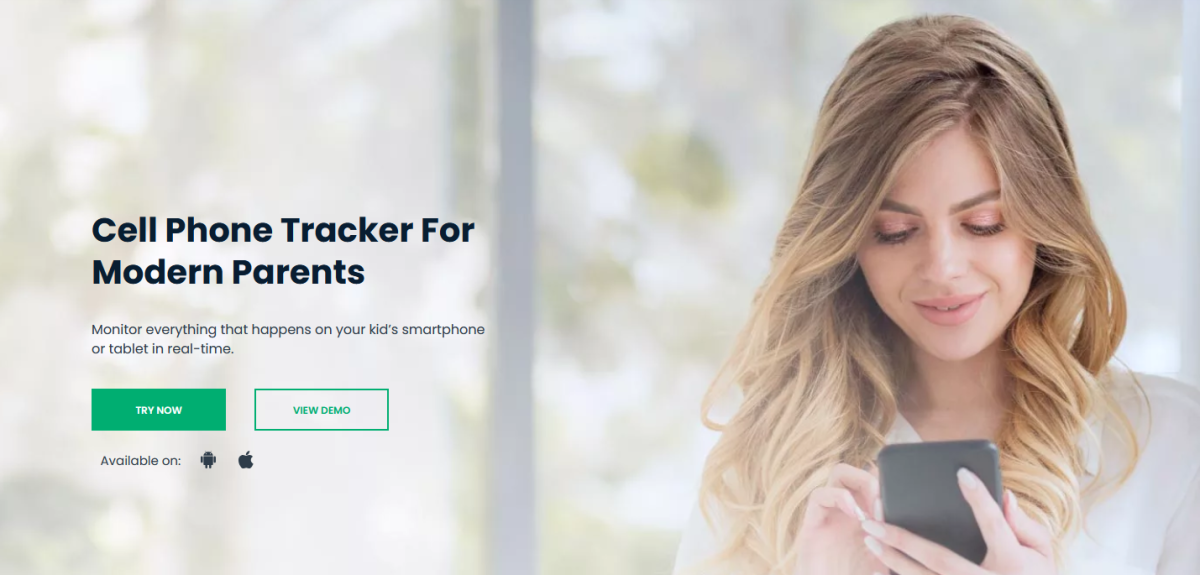
uMobix has been designed to allow parents to monitor and manage their child’s smartphone usage discreetly and remotely. Compatible with both Android and iOS devices, the uMobix mobile tracker allows for the overseeing a wide range of activities on the device, including basic ones, such as call logs, messages, and locations, as well as more revealing insights, such as social media monitoring, streaming, deleted info tracking, and more.
To help you see the broader picture, here are some of the advantages we managed to spot while looking into this service:
- no need to physically access the device for phone usage insights
- simple interface for users with little technical knowledge
- real-time data syncing without the need to refresh manually
- 24/7 customer assistance, which is especially valuable for newbies in online tracking
- no alerting the child during the monitoring process
So far, uMobix looks good, promising an intuitive user experience with a dashboard that is easy to navigate, even for non-technical individuals. Let’s dive deeper into its features and usability to see what else it has in store.
Key Features of uMobix That Make It Stand Out
Parents’ appeal to tracking tools usually does not come from a simple whim. It is often a much-needed measure caused by a lack of mutual understanding or justified concerns regarding children’s behavior. On the contrary, the kid is just beginning to explore the online space and needs to be steered in the right direction. Whatever your case, the uMobix mobile tracker seems to be a perfect go-to option for not-so-tech-savvy people. Here’s what you can count on as a user:
- Call monitoring
Thanks to uMobix, your child’s call logs, including incoming and outgoing calls, will be constantly at your fingertips. Besides, detailed information such as the phone number, the contact name, and the call’s time and date are available for review. Now, ensuring that your child is not engaging with dubious individuals is an easy task.
- Tracking of text messages
Although seeing some downtrend in popularity, SMSs can still be a useful source of information. Parents can view sent and received SMSs, along with the embedded content. For added peace of mind, the uMobix app even allows for the monitoring of deleted messages, revealing details that would have been otherwise erased.
- Social media activity
The category that children probably interact with most intensively is undoubtedly the various social networks. uMobix allows parents to track activities on popular platforms like Facebook, Instagram, Snapchat, TikTok, and WhatsApp. This activity includes chats, media sharing, posts, and deleted interactions to ensure that your child is using social media safely and responsibly.
- GPS location tracking
The real-time GPS location tracking feature allows parents to pinpoint the exact whereabouts of their child at any given moment. You can access this information via an interactive map, making it easy to track your child’s location during school hours, after-school activities, or when they are out with friends.
- Internet activity monitoring
uMobix keeps a watchful eye over kids’ internet activity, including browsing history and search queries, and even deleted entries. Combined with remote device restriction possibilities, this feature helps ensure that your child is not exposed to harmful or inappropriate online content while using their smartphone.
- Video and audio streaming
This advanced feature helps you establish a connection with your child’s device in real time while it has an internet connection. Thus, the uMobix mobile tracker becomes your eyes and ears while you are at a distance.
These features, combined with its user-friendly interface, make uMobix an excellent choice for parents who want to protect their children’s online well-being while keeping the process simple and efficient.
Setting Up uMobix: How Simple It Is for Beginners?
As already mentioned, uMobix provides a dashboard with all the stated features that the user can access after registration. To be more precise, the exact process of uMobix setup looks as follows:
- Visit the uMobix official website and click on “Try now”.
- Provide your email address and indicate the desired subscription.
- Complete the registration and purchase.
- Provide iCloud credentials for iOS tracking or follow instructions for Android target device setup.
As you can see, the installation would be easier on an iPhone, for example, but this is solely due to the peculiarities of the OS, not uMobix’s prerequisite. For Android devices, in general, you need to plan temporary access to the phone, with the need to grant some permissions. This is the only effective way to track almost all activity on the target device, and not just minimal data, such as the location, for example.
Conclusion: Is uMobix Suitable for Non-Tech-Savvy Parents?
Let’s put it this way: there’s nothing impossible for parents who want to safeguard their kids from internet threats. And uMobix indeed makes it a breeze to track mobile devices, even for non-tech-savvy parents.
If you are reading this uMobix review and find it difficult to imagine how it all works in practice, you can just trust the process and also chat with the reliable support service on the site, which – proven – works like clockwork.
